Noted
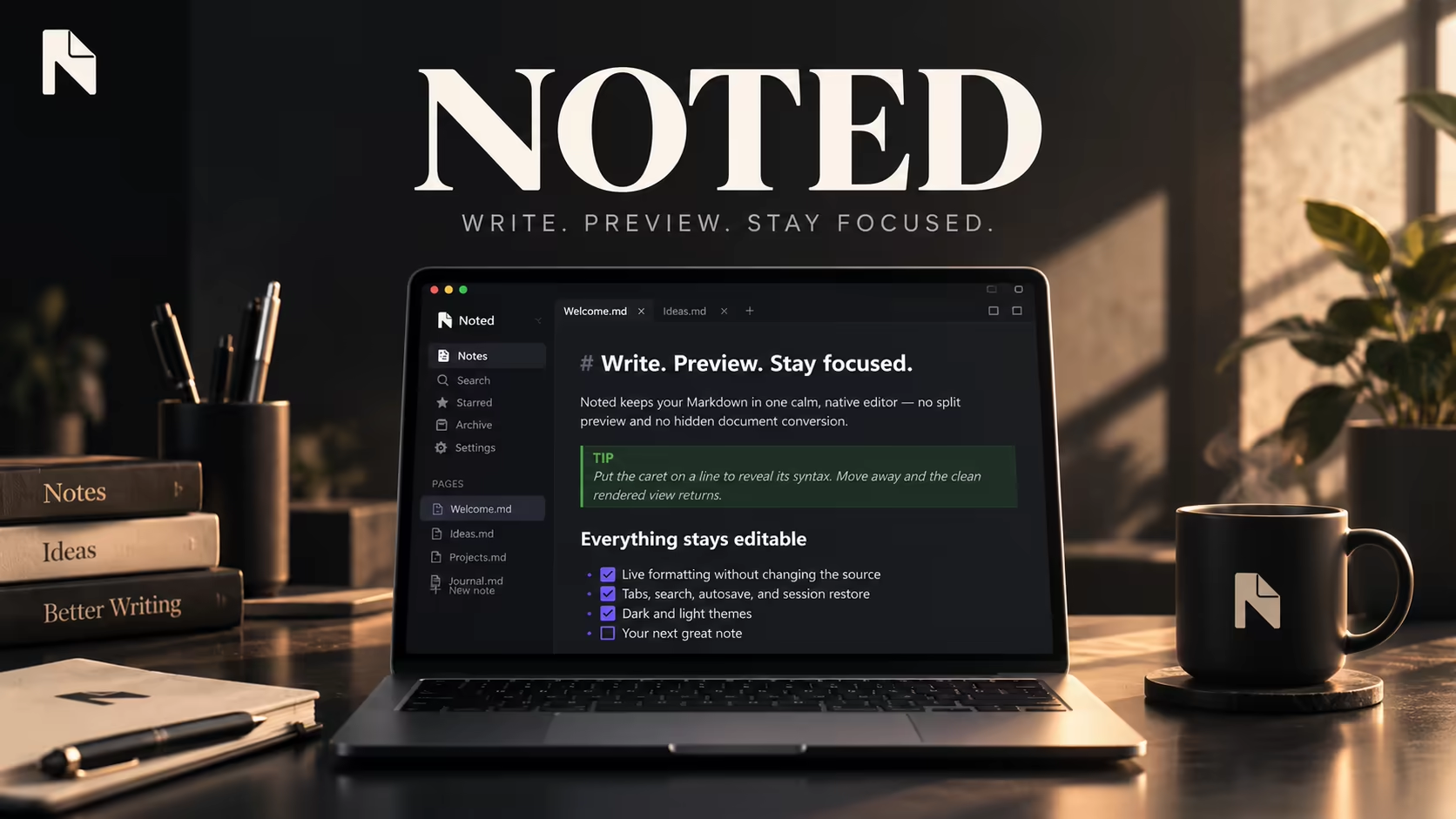
Noted is a native Windows Markdown editor built around one idea: no split preview pane and no hidden document conversion. Text renders inline as you write — headings, lists, links, and emphasis appear formatted in place, and moving the caret onto a line reveals its raw syntax so nothing you type is ever hidden from you. It ships with tabs, search, autosave, session restore, and configurable link previews, backed by an 80+ test suite.
About This Project
Most Markdown editors force a choice between a raw-text pane and a separate rendered preview, splitting attention and breaking flow for someone who just wants to write.
Built a single-pane WPF editor that renders Markdown live inline, only revealing raw syntax on the line the caret currently occupies, so formatting and editing happen in the exact same view.
A calm, native Windows notepad that keeps writing and previewing in one place, with tabs, autosave, session restore, and inline link previews layered on top without ever hiding the underlying text.
Desktop Application Developer
2026
Finished
Personal
Technology Stack
Project Story
Most Markdown editors force a choice between a raw-text pane and a separate rendered preview, splitting attention and breaking flow for someone who just wants to write.
Built a single-pane WPF editor that renders Markdown live inline, only revealing raw syntax on the line the caret currently occupies, so formatting and editing happen in the exact same view.
A calm, native Windows notepad that keeps writing and previewing in one place, with tabs, autosave, session restore, and inline link previews layered on top without ever hiding the underlying text.
Insights & Takeaways
Highlights
- Live inline Markdown rendering with per-line reveal-on-caret editing, no split preview.
- Configurable link display modes: plain text, favicon/type icon, mini preview card, or full embedded preview.
- Tabs, search, starred/archived notes, autosave, and session restore.
- Backed by an 80+ test suite covering rendering, multi-caret editing, and link previews.
Challenges
- Re-rendering Markdown live without disrupting caret position, selection, or undo history mid-keystroke.
- Fetching and caching link previews (favicons, thumbnails, embedded playback) without blocking the UI thread.
Lessons Learned
- A single-pane live-rendering editor needs much more careful caret and selection bookkeeping than a split-preview design, but reads far more naturally once it works.
