Yoink
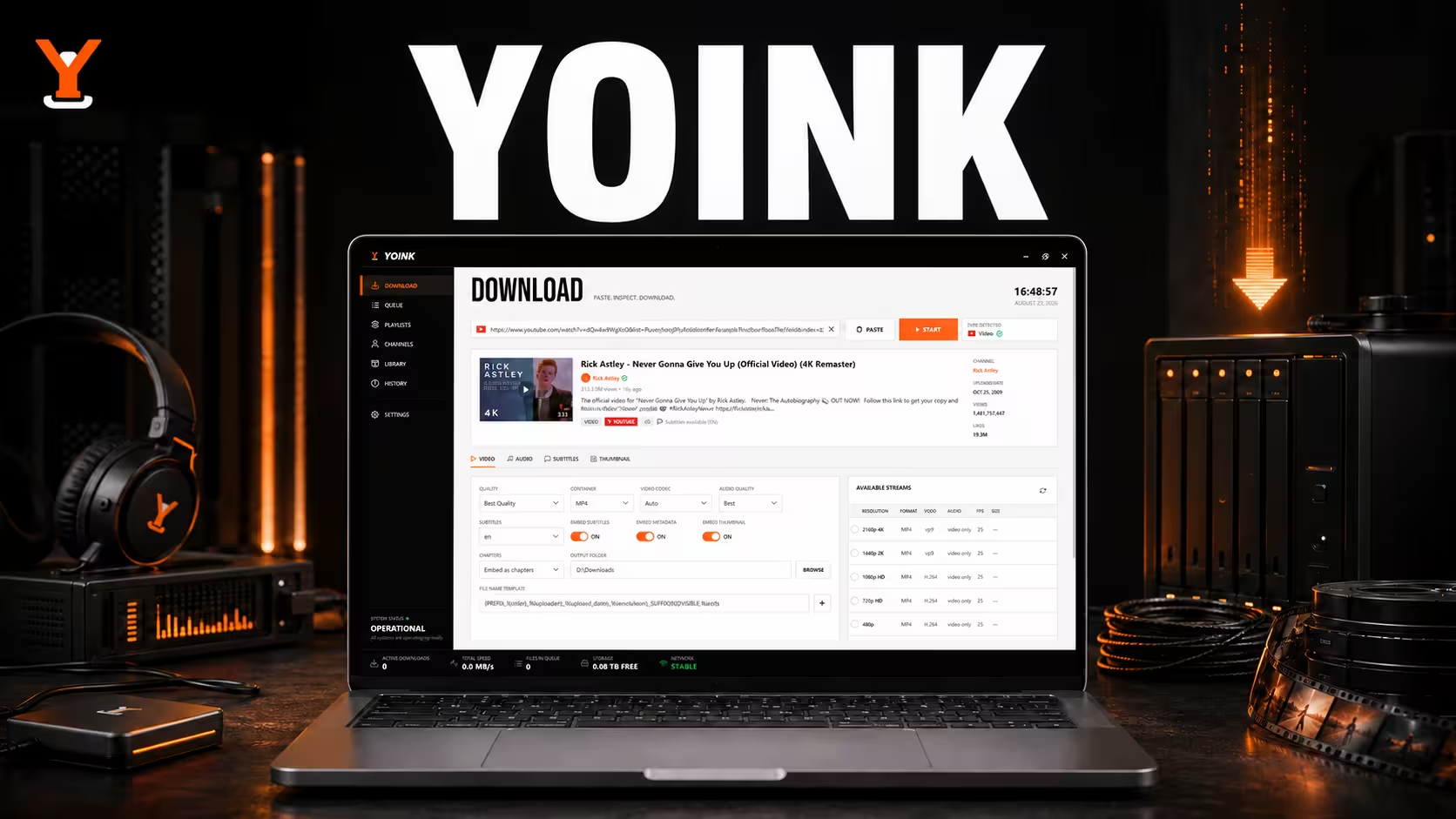
Yoink is a native Windows desktop media downloader that wraps yt-dlp and FFmpeg in a clean WPF interface. It inspects video and audio streams, handles playlists and followed channels, manages concurrent downloads, and keeps a searchable local library and history. The self-contained app provisions its required tools on first launch, giving users a straightforward, ad-free experience without command-line setup or browser extensions.
About This Project
Powerful media tools such as yt-dlp and FFmpeg are command-line focused, leaving many Windows users without a polished way to download, organize, and revisit media from different sites.
Built a native WPF application around yt-dlp and FFmpeg using clean-architecture layers and MVVM. Yoink provisions its dependencies automatically, inspects available streams, supports playlists and channels, and coordinates concurrent downloads with pause, resume, retry, and live progress controls.
A self-contained Windows media manager that combines flexible downloads with a searchable SQLite-backed library and history, while requiring no separate runtime or tool installation from end users.
Desktop Application Developer
2026
Public
Open Source
Technology Stack
Project Story
Powerful media tools such as yt-dlp and FFmpeg are command-line focused, leaving many Windows users without a polished way to download, organize, and revisit media from different sites.
Built a native WPF application around yt-dlp and FFmpeg using clean-architecture layers and MVVM. Yoink provisions its dependencies automatically, inspects available streams, supports playlists and channels, and coordinates concurrent downloads with pause, resume, retry, and live progress controls.
A self-contained Windows media manager that combines flexible downloads with a searchable SQLite-backed library and history, while requiring no separate runtime or tool installation from end users.
Insights & Takeaways
Highlights
- Downloads video or audio from thousands of yt-dlp-supported sites with selectable quality and formats.
- Supports concurrent queues, playlists, followed channels, download history, and a searchable media library.
- Ships as a standalone executable or Windows installer and provisions yt-dlp and FFmpeg on first launch.
Challenges
- Providing reliable pause, resume, retry, and progress behavior while coordinating multiple concurrent download processes.
- Packaging and provisioning external media tools so the native application remains simple to install and use.
Lessons Learned
- A focused native interface can make mature command-line tooling accessible without hiding its advanced capabilities.
- Separating tool integrations and persistence from presentation keeps a desktop application easier to test and evolve.
Related Work
Case Study
Academia Plus
C++ Qt prototype simulating students, teachers, courses and exams in a school management system.
Case Study
Haru
High-performance AI study ecosystem designed to maximize efficiency and minimize distractions by centralizing powerful local models.
Case Study
Lexi
Super lightweight, privacy first personal dictionary desktop app that sits in the taskbar to capture and define new terms on the fly.
