Puppeteer
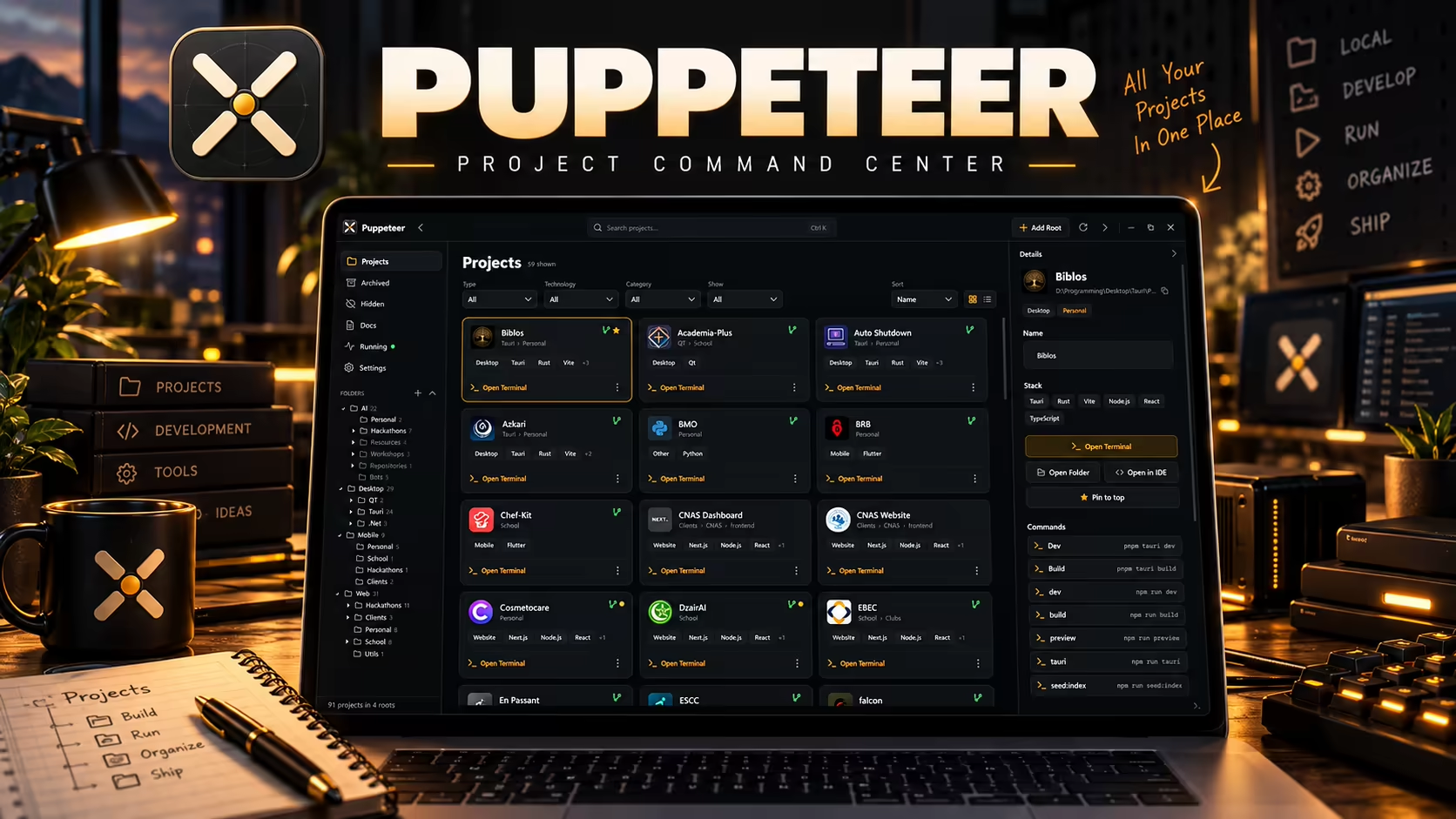
Puppeteer is a native Windows hub for developers with more repositories than browser tabs. Point it at your root project folders and it walks the tree, recognizes each project's stack (Tauri, Flutter, Next.js, Python, and more), keeps its README/state docs one click away, and opens a terminal already sitting in the right working directory. Projects are browsable as cards or a compact list, filterable by type, technology, category, and state.
About This Project
Juggling dozens of projects across different stacks and folders means constantly hunting through Explorer, re-opening terminals in the right directory, and losing track of which project is in what state.
Built a WPF project hub that scans configured root folders, auto-detects each project's stack and available commands from its manifest files, and surfaces one-click terminal access, IDE opening, and pinning per project.
A single command center that indexes 90+ projects across multiple root folders, letting any project be found, opened, or run in seconds instead of a manual folder search.
Desktop Application Developer
2026
Finished
Personal
Technology Stack
Project Story
Juggling dozens of projects across different stacks and folders means constantly hunting through Explorer, re-opening terminals in the right directory, and losing track of which project is in what state.
Built a WPF project hub that scans configured root folders, auto-detects each project's stack and available commands from its manifest files, and surfaces one-click terminal access, IDE opening, and pinning per project.
A single command center that indexes 90+ projects across multiple root folders, letting any project be found, opened, or run in seconds instead of a manual folder search.
Insights & Takeaways
Highlights
- Auto-detects project stack and package-manager commands (dev/build/preview/etc.) straight from each project's manifest.
- Card and list views with filters by type, technology, category, and state across multiple watched root folders.
- One-click terminal, IDE, and folder access per project, plus pinning for frequently used ones.
Challenges
- Reliably fingerprinting a project's stack and tech badges from heterogeneous folder structures (Tauri, Flutter, Next.js, Python, .NET) without hardcoding every case.
- Keeping the scan of dozens of large project trees fast enough to feel instant on launch.
Lessons Learned
- A tool built to manage your own sprawl only earns its keep if indexing stays fast — the first version that felt slow to scan got rewritten before anything else.
Related Work
Case Study
Academia Plus
C++ Qt prototype simulating students, teachers, courses and exams in a school management system.
Case Study
Lexi
Super lightweight, privacy first personal dictionary desktop app that sits in the taskbar to capture and define new terms on the fly.
Case Study
Numo
AI-powered language learning desktop assistant (early stage) with Tauri + local-first architecture, including local STT/TTS/LLM pathways and optional online acceleration.
